Routing to Sites
A Site adds a boundary polygon and entry and exit points connected to the public road network to a location in the map data. When Site-based routing is enabled, these details can guide drivers to the appropriate gate instead of routing them only to an address or coordinates.
- Trimble’s map data includes hundreds of thousands of Sites at warehouses, shopping malls, distribution centers, yards, and other locations served by the commercial transportation industry.
- In ContentTools, you can create Custom Places and Sites for your fleet’s locations, your customers’ locations, or both.
- By default, the Routing APIs do not use Site information when generating routes.
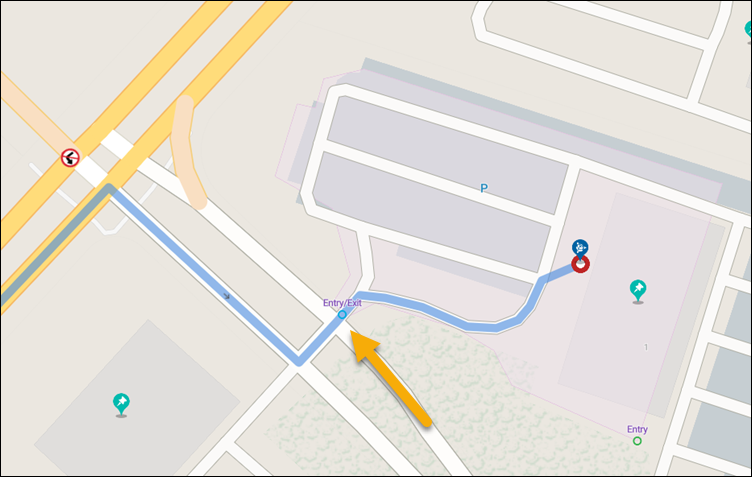
Enable Site-based routing
To enable Site-based routing, configure the following settings:
- Set the
UseSitesparameter to true in the Routing API request or in the Vehicle Routing Profile specified by theprofileNameparameter.UseSitesis false by default. - If you pass stop locations using an address or coordinates, the Routing APIs will search for a Site corresponding to that location and use that Site for routing, if available.
- Alternatively, identify a stop by its place ID. In ContentTools, add a
PlaceIdto a Custom Place that has a Site. For a public place, retrieve itsTrimblePlaceIdfrom Trimble’s map data using the Single Search API. Then pass the correspondingPlaceIdorTrimblePlaceIdto identify the stop and retrieve its Site information.